
微服务服务注册与发现什么是微服务
传统服务
商店商店微服务
微服务商场商场华为手机什么是服务注册与服务发现
微服务导购员访问者服务微服务举个栗子:
最近放假,商场的咖啡店生意不错。于是我就拉着小明去商场开了两个咖啡店准备赚一笔。为什么开同时开两个呢,生意太好,如果小明那边客户比较多的话,就可以让部分客户到我这边来买 (负载均衡) 。还有如果哪天晚上我打游戏打晚了,早上起不来,小明就正常营业。或者是小明有事呢,我就正常营业 (熔断) 。
说干就干,两个咖啡店已经被我们如火如荼的置办起来了 (完成服务开发),我们给它起了个名字叫“三泡咖啡” (服务名称),小明的店在商场入口旁边门牌号是302,我的店在商场后面门牌号是609 (服务ID)。
开业以后呢,每天早上,我和小明都会分别到导购台那边和导购小姐姐说“今天我们店正常营业”(不是撩小姐姐),这时导购小姐姐就会在小本本上记上我们的店和门牌号 (服务注册),之后进入商场的客人如果想买“三泡咖啡”,小姐姐就会按照她登记的信息告诉客人 (服务发现) 咖啡店在哪一层哪一号。
导购小姐姐呢也会定时来看我们店有没有存在突发情况,影不影响正常营业 (健康检查)。例如我这家店的收银系统今天出现问题了,导致无法正常营业了,那么导购小姐姐就会拿出小本本备注一下,下次再有客人想喝“三泡咖啡”,导购小姐姐就会将客人指向小明那家店了。
为什么要使用不同的语言提供相同的服务能力
本来我是想和小明分别购置一个自动咖啡机来为用户提供咖啡的,可是预算不足只能买一个。但没办法,我是老板,所以就给小明买了一个手磨咖啡机来做咖啡。不是说自动咖啡机一定比手磨咖啡机做的好,也不能说手磨咖啡机一定比自动咖啡机做出来的香。它们做出来的味道一样,只是结合了实际情况来定的。你说对吗? phper。
服务协调器导购员ConsulEurekaZookeeperEtcdConsulconsulgooglego语言agentserverclientserverserver-leader安装部署方式就请参考官方文档或百度一下吧。
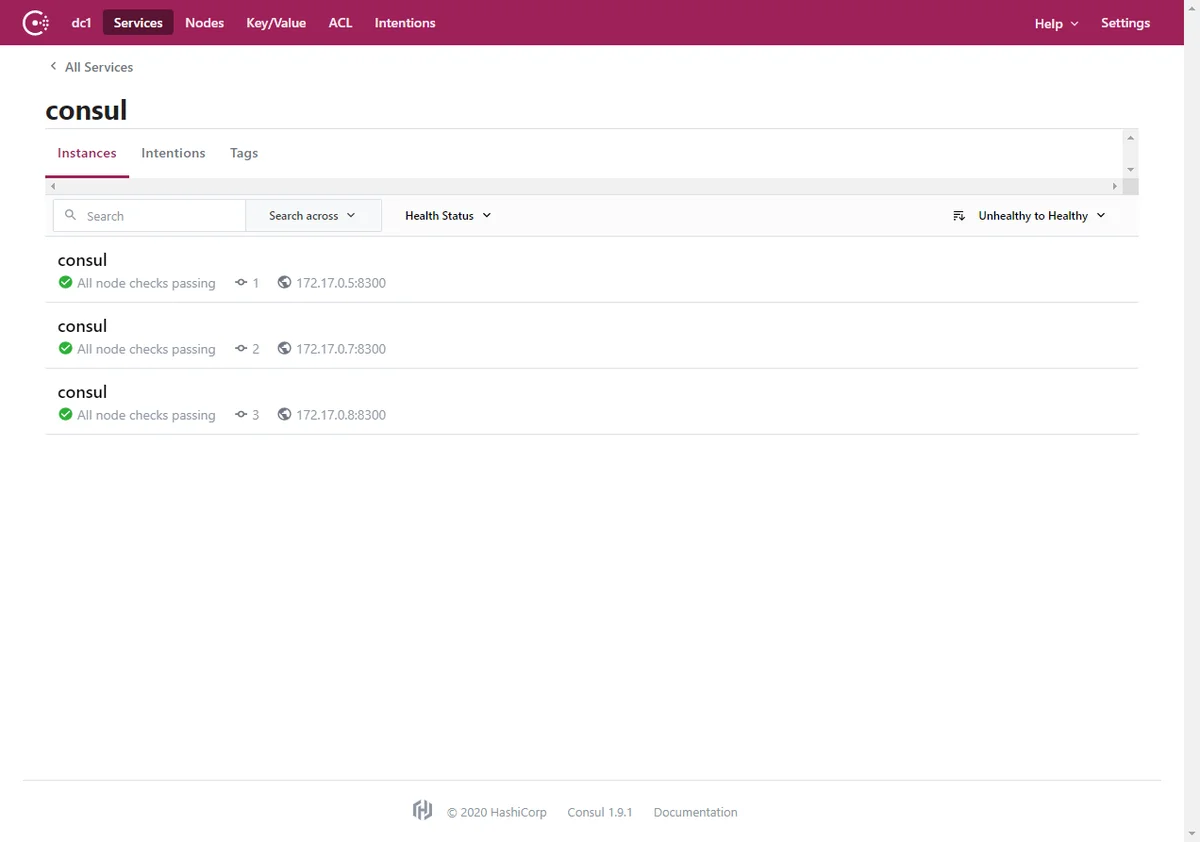
我这里是使用Docker部署的三个Consul实例
Golang
coffee-servicecoffee-service1coffeecoffeeServer.gopackage main
import (
"fmt"
"github.com/hashicorp/consul/api"
"net/http"
)
func main() {
consulConfig := api.DefaultConfig()
consulConfig.Address = "consul.insipid.top" // consul 地址
consulClient, err := api.NewClient(consulConfig)
if err != nil {
fmt.Println("new consul client err:", err)
return
}
// 服务注册配置
registerService := api.AgentServiceRegistration{
ID: "coffee-service1", // id唯一
Name: "coffee-service", // 服务名称,相同服务多实例注册下名称相同
Tags: []string{"demo"}, // tag
Port: 8082, // 当前服务端口
Address: "39.99.248.231",
Check: &api.AgentServiceCheck{ // 健康检查相关配置
HTTP: "http://39.99.248.231:8082/health", // 健康检查接口,response code = 200表示检查通过
Timeout: "5s", // 超时时间
Interval: "5s", // 检查间隔
DeregisterCriticalServiceAfter: "10s", // 检查失败后指定时间自动踢出无效服务
},
}
// 注册当前配置服务到consul
err = consulClient.Agent().ServiceRegister(®isterService)
if err!=nil{
fmt.Println("注册到consul失败,err:",err)
return
}
fmt.Println("注册到consul成功")
// 添加健康检查接口,需要和上面注册服务配置信息中的健康检查path相同
http.HandleFunc("/health", func(writer http.ResponseWriter, request *http.Request) {
writer.Write([]byte("ok"))
})
// 业务处理
http.HandleFunc("/get", func(writer http.ResponseWriter, request *http.Request) {
writer.Write([]byte("欢迎光临三泡咖啡(609号店)"))
})
// 启动http服务器
http.ListenAndServe(":8082",nil)
}
coffeeServer.gogo mod init coffeego modgo mod tidyconsulmodule coffee
go 1.17
require github.com/hashicorp/consul/api v1.11.0
require (
github.com/armon/go-metrics v0.0.0-20180917152333-f0300d1749da // indirect
github.com/fatih/color v1.9.0 // indirect
github.com/hashicorp/go-cleanhttp v0.5.1 // indirect
github.com/hashicorp/go-hclog v0.12.0 // indirect
github.com/hashicorp/go-immutable-radix v1.0.0 // indirect
github.com/hashicorp/go-rootcerts v1.0.2 // indirect
github.com/hashicorp/golang-lru v0.5.0 // indirect
github.com/hashicorp/serf v0.9.5 // indirect
github.com/mattn/go-colorable v0.1.6 // indirect
github.com/mattn/go-isatty v0.0.12 // indirect
github.com/mitchellh/go-homedir v1.1.0 // indirect
github.com/mitchellh/mapstructure v1.1.2 // indirect
golang.org/x/sys v0.0.0-20200223170610-d5e6a3e2c0ae // indirect
)
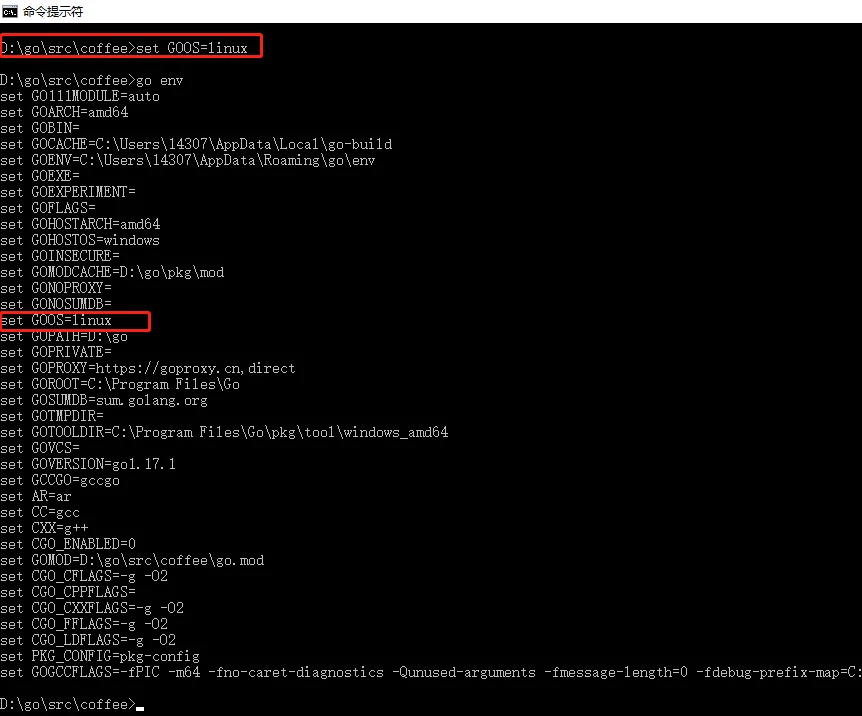
go run coffeeServer.golocalhost:8082/getconsul.insipid.top由于我的云服务器是centos系统,所以需要将GOOS设置为linux
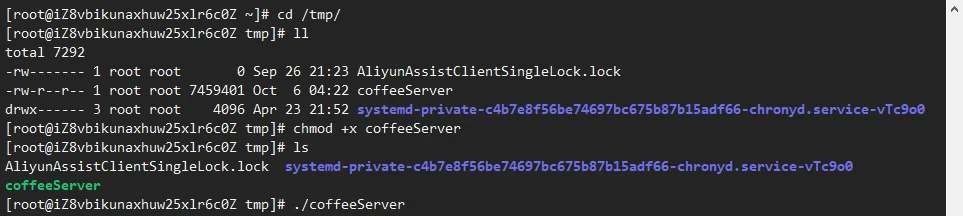
coffeeServer.go通过远程连接工具(XShell),连接到云服务器,并打开到推送的目录。设置执行权限并运行
consul.insipid.topC#(.NetCore3.1)
coffee-serviceGolangcoffee-servicecoffee-service2ConsulStartup.cs文件中输入如下代码:
using Consul;
using Microsoft.AspNetCore.Builder;
using Microsoft.AspNetCore.Hosting;
using Microsoft.Extensions.Configuration;
using Microsoft.Extensions.DependencyInjection;
using Microsoft.Extensions.Hosting;
using System;

namespace coffeeServer
{
    public class Startup
    {
        public Startup(IConfiguration configuration)
        {
            Configuration = configuration;
        }

        public IConfiguration Configuration { get; }

        public void ConfigureServices(IServiceCollection services)
        {
            services.AddControllers();
        }

        public void Configure(IApplicationBuilder app, IWebHostEnvironment env)
        {
            if (env.IsDevelopment())
            {
                app.UseDeveloperExceptionPage();
            }
            else
            {
                app.UseExceptionHandler("/Error");
            }

            app.UseRouting();

            app.UseEndpoints(endpoints =>
            {
                endpoints.MapControllerRoute("default", "{controller}/{action}");
            });

            var consulClient = new ConsulClient(x => { x.Address = new Uri("http://consul.insipid.top/"); });           // consul 地址
            var httpCheck = new AgentServiceCheck()
            {
                DeregisterCriticalServiceAfter = TimeSpan.FromSeconds(10),                                              // 检查失败后指定时间自动踢出无效服务
                Interval = TimeSpan.FromSeconds(10),                                                                    // 检查间隔
                HTTP = "http://39.99.248.231:8083/Health",                                                              // 健康检查接口,response code = 200表示检查通过
                Timeout = TimeSpan.FromSeconds(5)                                                                       // 超时时间
            };

            var registration = new AgentServiceRegistration()
            {
                Checks = new[] { httpCheck },
                ID = "coffee-service2",                                                                                 // id唯一
                Name = "coffee-service",                                                                                // 服务名称,相同服务多实例注册下名称相同
                Address = "39.99.248.231",
                Port = 8083,
                Tags = new string[] { "demo" }                                                                          // tag
            };
            consulClient.Agent.ServiceRegister(registration).Wait();
        }
    }
}
CoffeeControllerusing Microsoft.AspNetCore.Mvc;
namespace coffeeServer.Controllers
{
public class CoffeeController:ControllerBase
{
[HttpGet("get")]
public IActionResult Get()
{
return Content("欢迎光临三泡咖啡(302号店)");
}
[HttpGet("health")]
public IActionResult Health()
{
return Ok("ok");
}
}
}
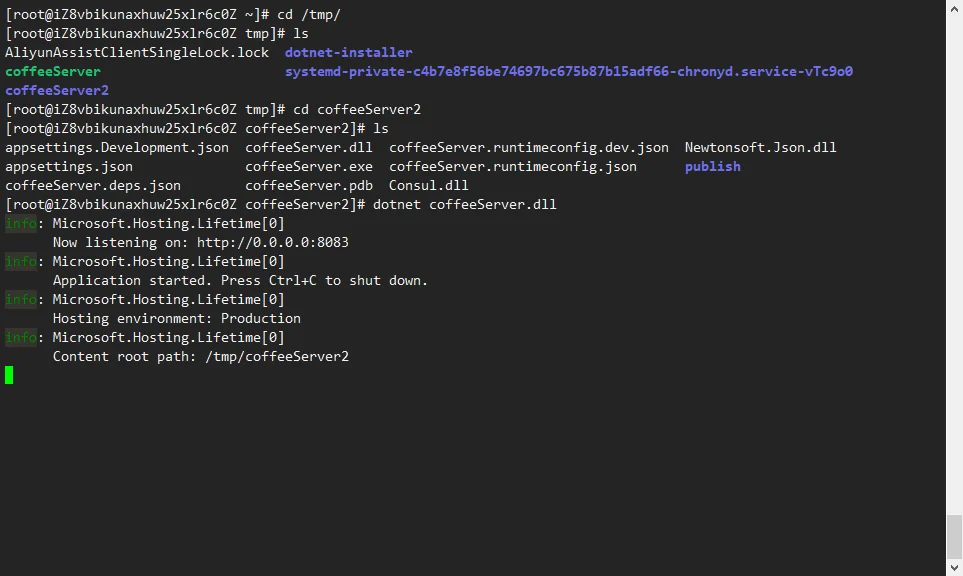
coffee-service编译推送C#程序到云服务器,由于.NetCore在Centos中需要安装.Net Runtime,安装步骤请自行百度
此时我们可以看见服务已成功运行
coffee-serviceGolangC#ApiGatewayConsulApiGateway通过HttpClient发现服务,并访问
coffeecoffeeClient.gopackage main
import (
"fmt"
"github.com/hashicorp/consul/api"
"io/ioutil"
"net/http"
"strconv"
)
func main() {
consulConfig := api.DefaultConfig()
consulConfig.Address="consul.insipid.top" // consul 地址
registerClient, _ := api.NewClient(consulConfig)
// 通过consul获取coffee-service的有效服务地址
services, _, _ := registerClient.Health().Service("coffee-service", "demo", true, nil)
for _,service := range services{
getCoffeeUrl := "http://"+service.Service.Address+":"+strconv.Itoa(service.Service.Port)+"/get"
fmt.Println("service:",getCoffeeUrl)
response, err := http.Get(getCoffeeUrl)
if err!=nil{
fmt.Println("get err:",err)
return
}
body, err:= ioutil.ReadAll(response.Body)
if err!=nil{
fmt.Println("read body err:",err)
return
}
fmt.Println(string(body))
response.Body.Close()
}
}
go run coffeeClient.goConsulcoffee-servicecoffee-servicecoffee-service1go run coffeeClient.gocoffee-service1至此,我们已经完美实现不同语言(Golang&C#)提供相同服务能力给第三方调用了。
一般情况下,我们不会使用不同的技术栈来做相同服务的构建,都是看哪块业务哪个语言更适合。这个实验想表达的是,语言没有好坏,只要它支持跨平台方便移植那么它在互联网的技术海洋里总有一席之地的。
以上表述或步骤如有什么不妥,欢迎留言指正。谢谢~